Find the questions you want to use again

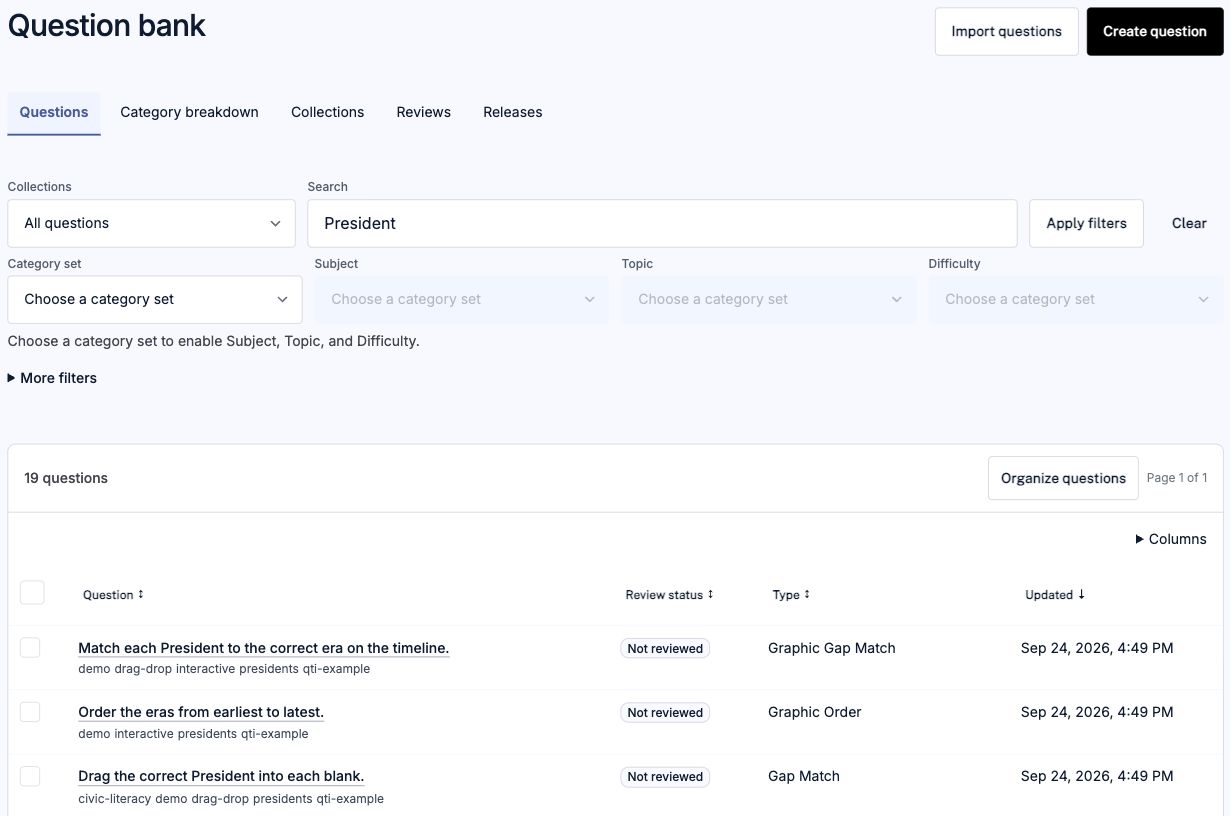
Search question content and see question types, tags, and review status together. Open a question to inspect it before adding it to an assessment.

This view is filtered to Presidents sample content. Review your own categories and approval needs during evaluation.

Explore the question-bank workflow →
Question bank filtered by President, with search controls and sample questions showing tags, review status, type, and update date.
A filtered bank view with questions from the Presidents sample. Select the image to view it full size.

Bring in the content your program depends on

Your bank may include licensed publisher questions, state-required sets, or content developed by a consortium. Start with packages your organization has permission to use and review the supported formats.

Use representative questions to check media, scoring, metadata, and organization before planning a larger import. Include expected bank size and import volume in your evaluation.

Review import formats and migration steps →

Make reviewed questions easy to find and reuse

Keep question content, source information, metadata, and revisions together. Review the organization and approval workflow your content team needs, then assemble assessments from the bank.

Explore organization, review, and revision history →

Bring content teams and evaluators into the same pilot

Agree on the source bank, delivery systems, accessibility requirements, and acceptance criteria. Include the people who maintain the questions and those responsible for procurement and implementation.

Plan your institutional evaluation →

Get answers to your evaluation questions

Share your requirements. We’ll prepare a response mapped to your questions, with available evidence and known limitations.

Also planning authoring or delivery?

Create assessments → Deliver assessments →